SurfPlayer: the IPTV app for Android TV, Firestick & phones
SurfPlayer is the app we built ourselves for StreamSurfers. Live TV with a full TV guide, movies, shows and live sports are all in one place, with big remote-friendly menus. Sign in with your username and password and everything is set up for you. You don't need to type a server address.
⭐ Recommended: an Android TV box such as the Onn 4K. See recommended devices →
Switching from another app? Here's what you'll love
SurfPlayer is made just for StreamSurfers, so everything is set up for you the moment you sign in.
- Sign in and watch. Just your usual StreamSurfers username and password. No server address and no playlists to set up.
- Sports made easy. Pick a sport, a league and a game, and SurfPlayer shows the channels carrying it, with live scores and score alerts for your team.
- Movies and shows with posters. Descriptions, trailers and episode pictures, and you can pick up right where you stopped.
- No more dead channels. Channels that aren't working are hidden for you, and if a channel stops, SurfPlayer tries a backup by itself.
- Watch 2 or 4 channels at once with Multi-view. Great for game day.
- Updates itself. Your login, favourites and settings stay just as they were.
What's new in SurfPlayer
- Smoother live sports on many TVs and Firesticks.
- Match screen speed is now on for you, to help fast sports play smoothly. You can turn it off in Settings, under TV & playback.
- Sound on movies and shows: titles that were silent on some devices now play with sound.
- Sound stays in step with the picture, and if it ever drifts, press DOWN while watching and choose Audio sync.
- Fewer interruptions: if a channel drops, SurfPlayer reconnects by itself.
- Report a problem in a few clicks: while watching, press DOWN and choose Report. We see it right away.
- Messages from our team right in the app, including replies to your reports.
See SurfPlayer in action
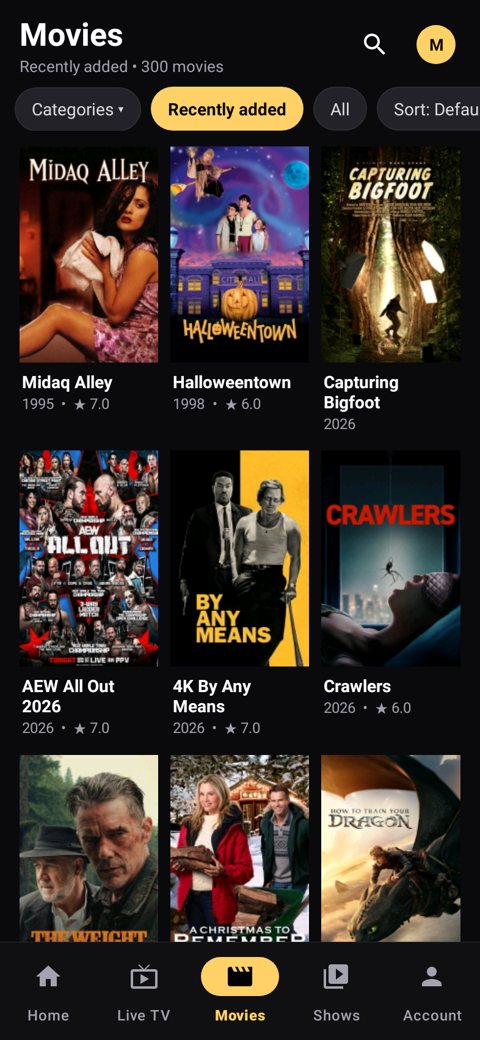
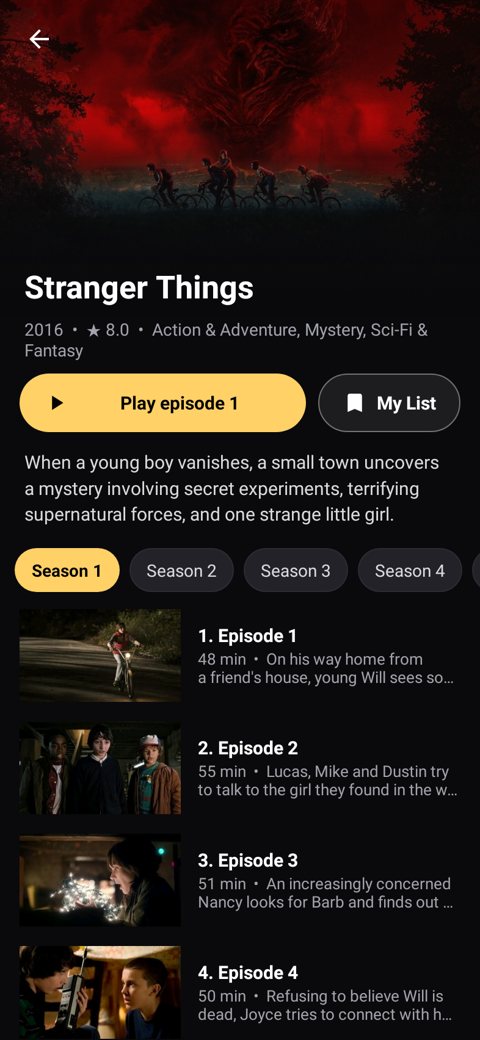
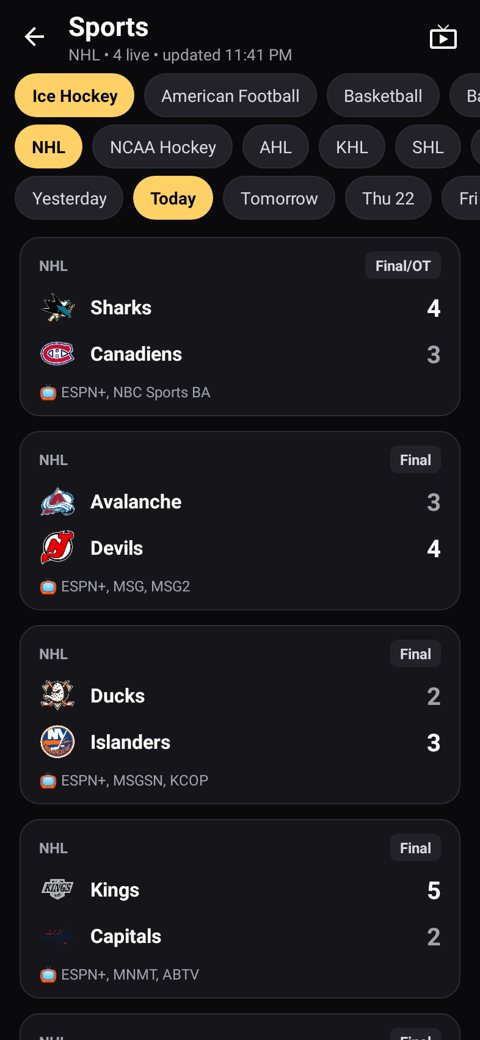
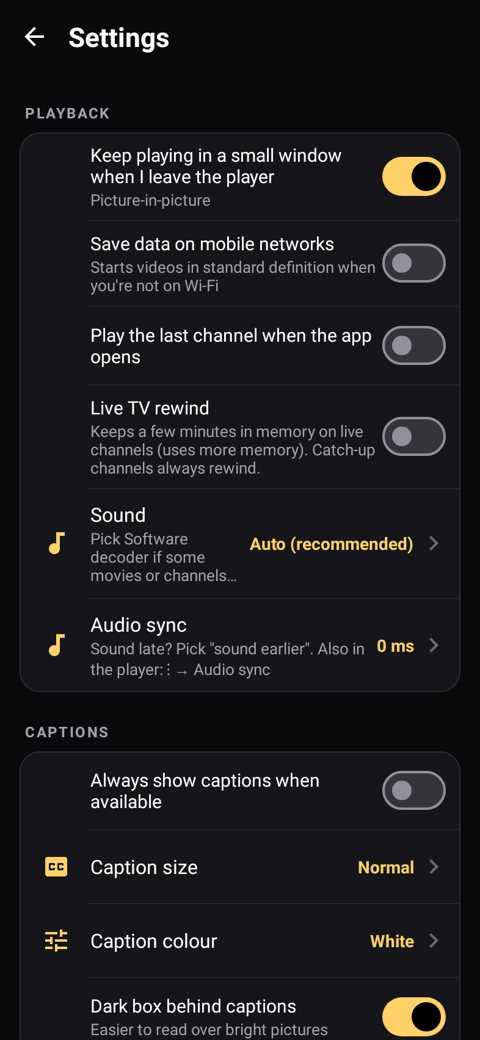
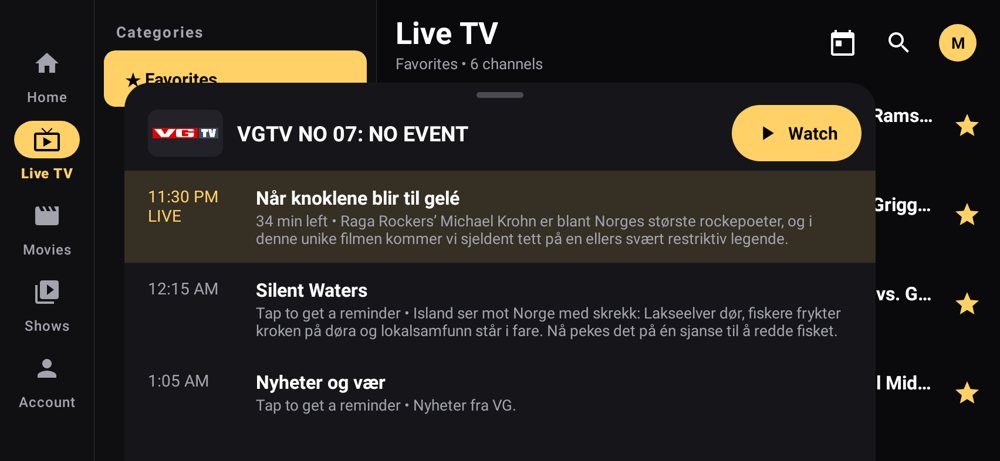
These are real screenshots from SurfPlayer on a TV and on an Android phone. Shows and channels change all the time, so what you see will be different.
On your TV (Firestick, Android TV & Google TV)
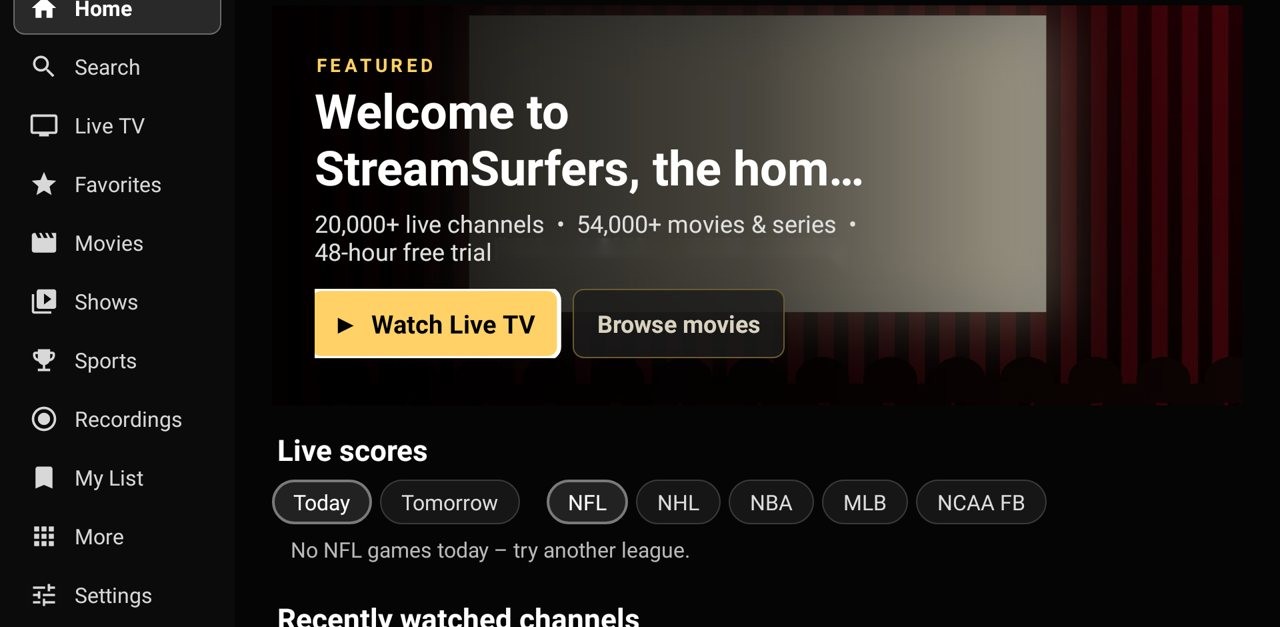
Home screen
Live TV, movies, shows, sports and your favourites are one click away. The menu on the left shows one highlight at a time, so you always know where you are.
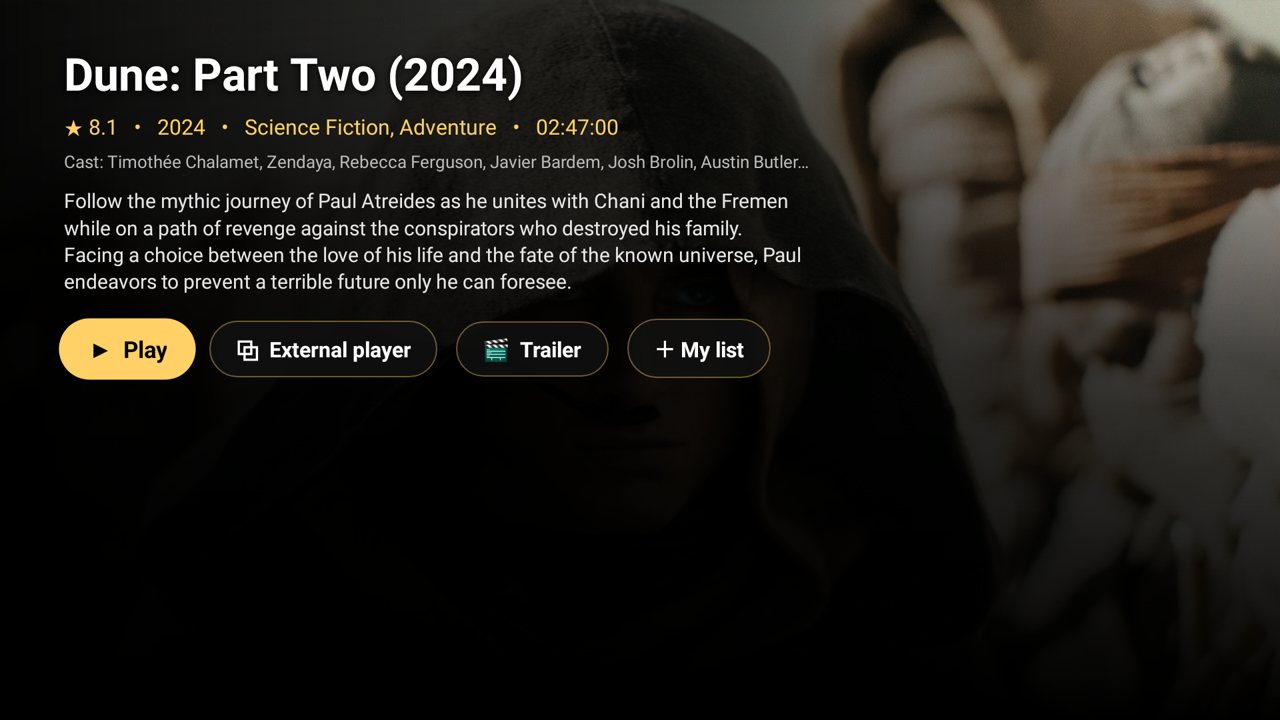
Movies with posters
Big posters, a description, ratings and a trailer. Press Play, or add it to My list for later.
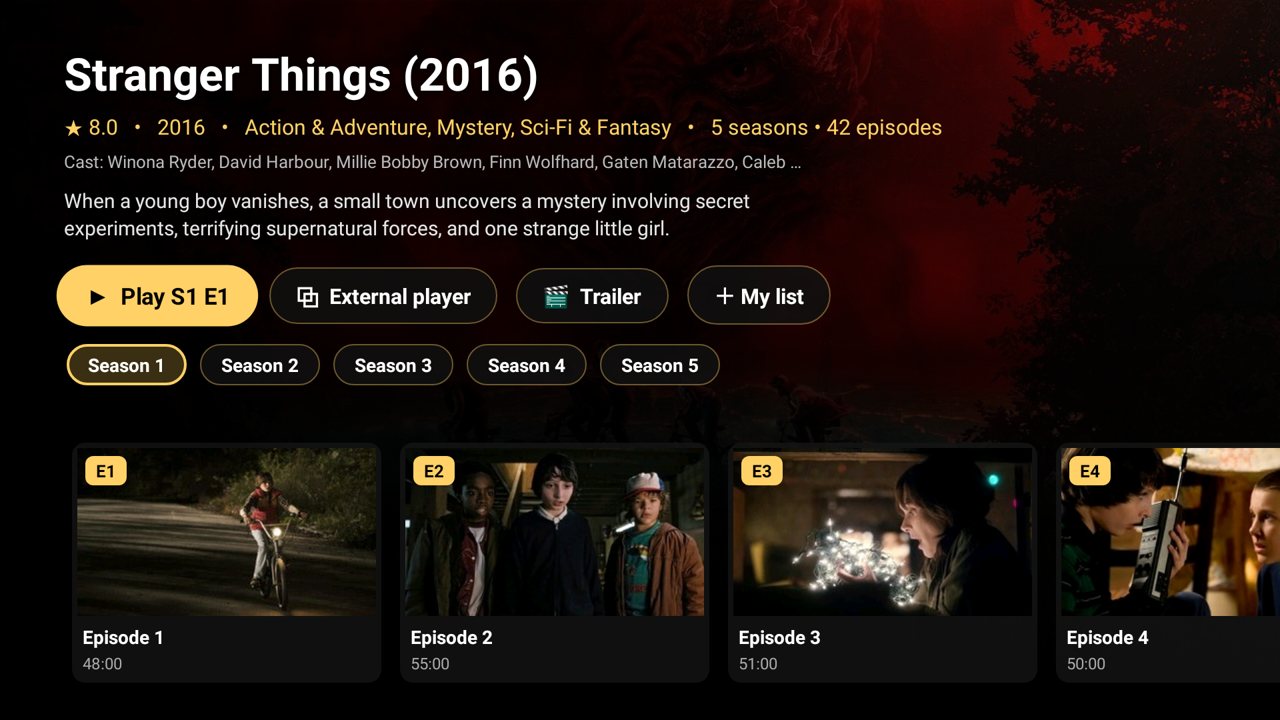
Shows and series
Every season and episode, with pictures. Episodes play one after another, and you can resume where you stopped.
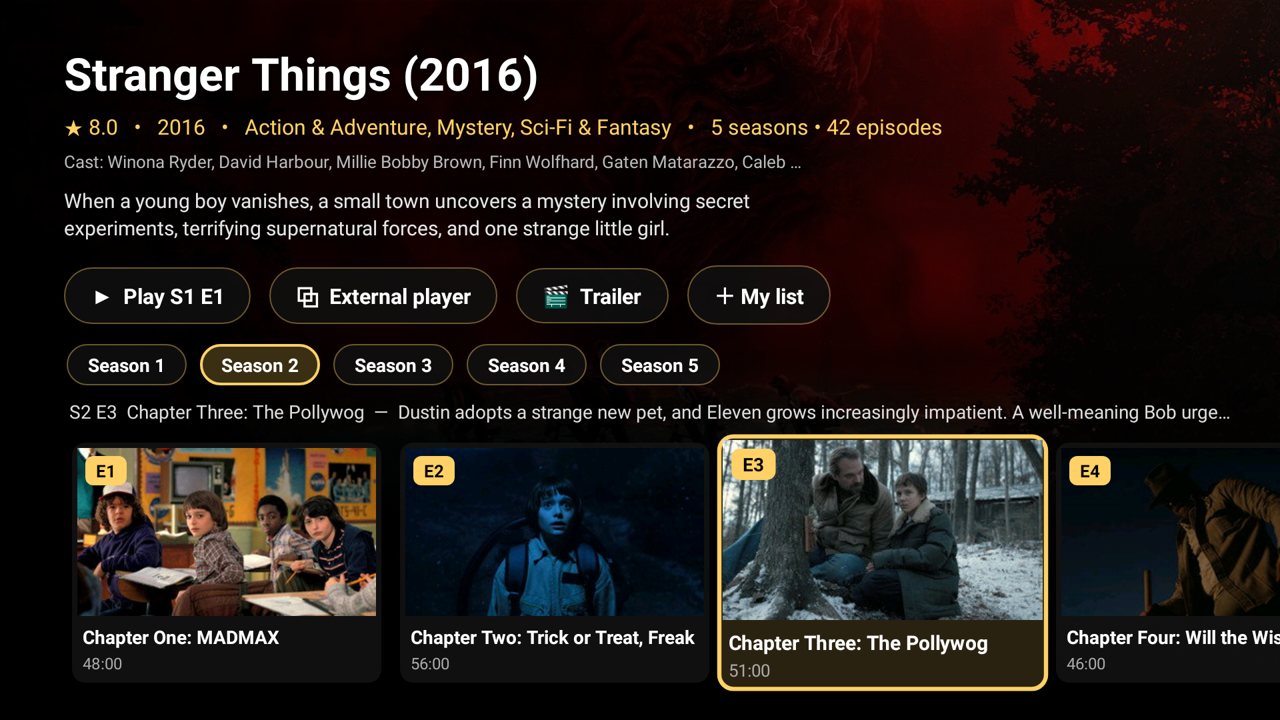
Pick any episode
Move across the episodes with your remote and see what each one is about before you press Play.
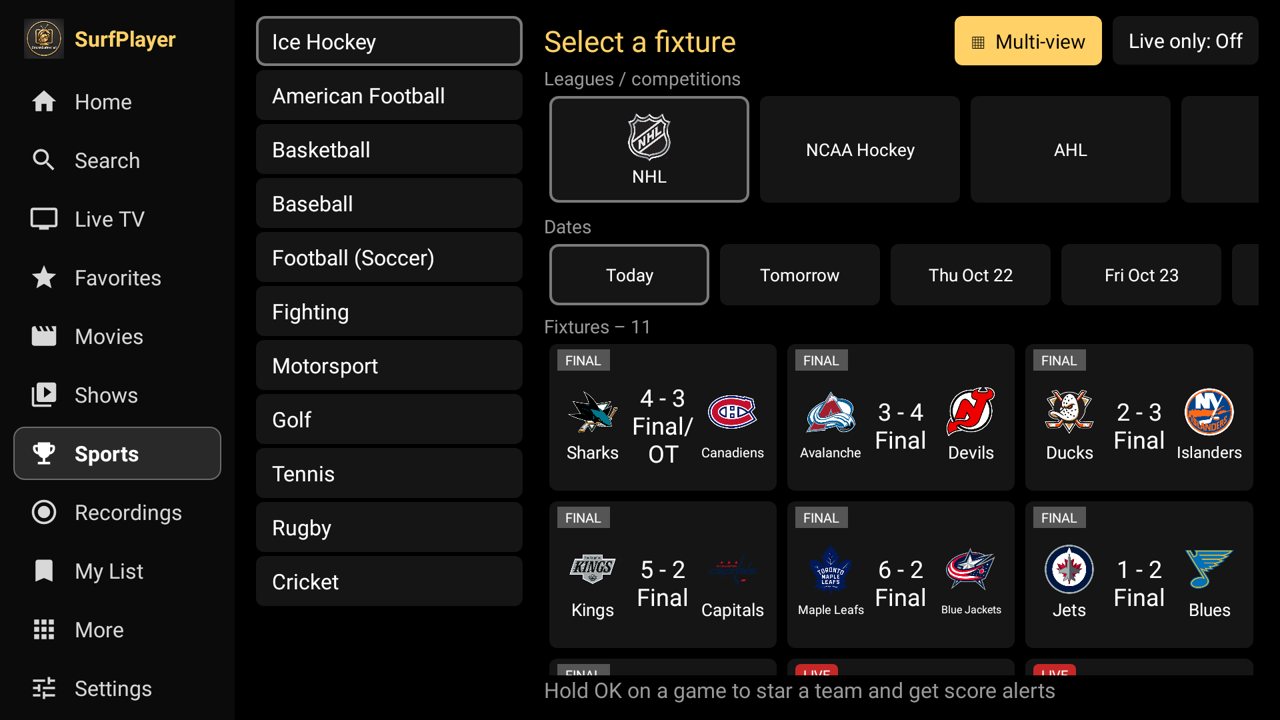
Sports search
Pick a sport, then the league, then the date, and you see every game with live scores. Star your team to see its games first and get score alerts.
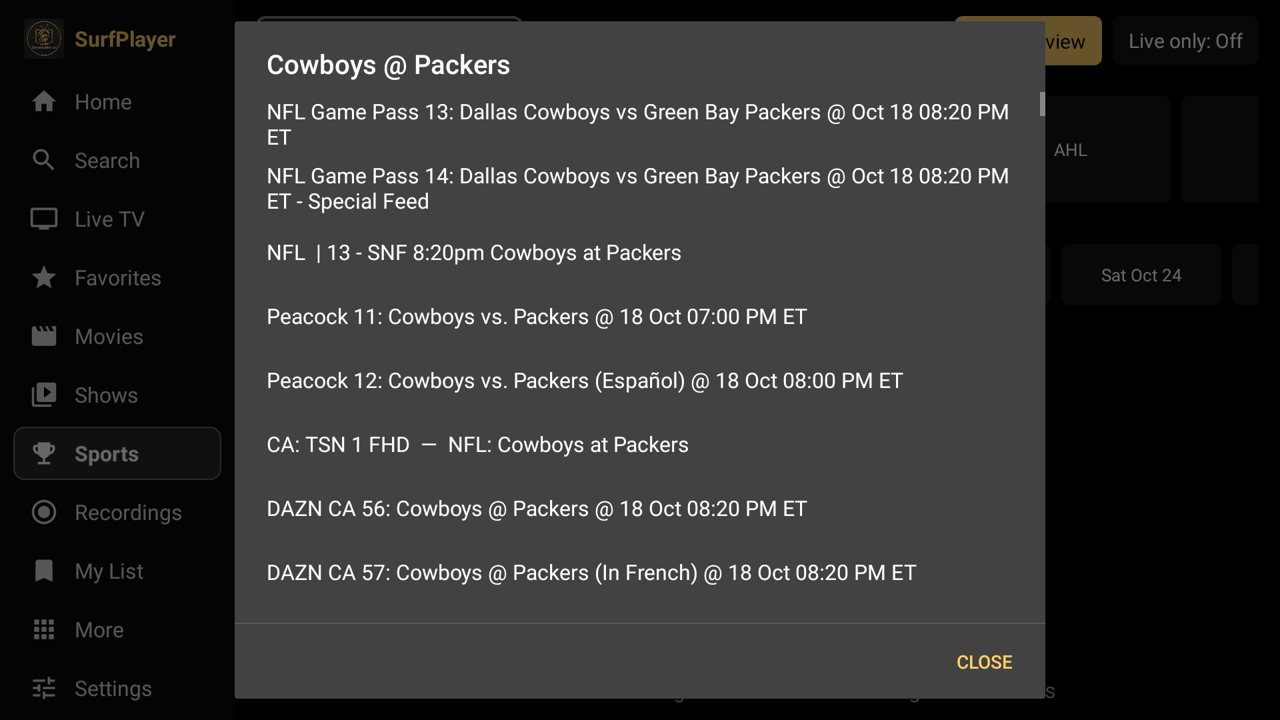
Find the channel for any game
Choose a game and SurfPlayer lists the channels showing it. North American channels come first, so you can start watching right away.
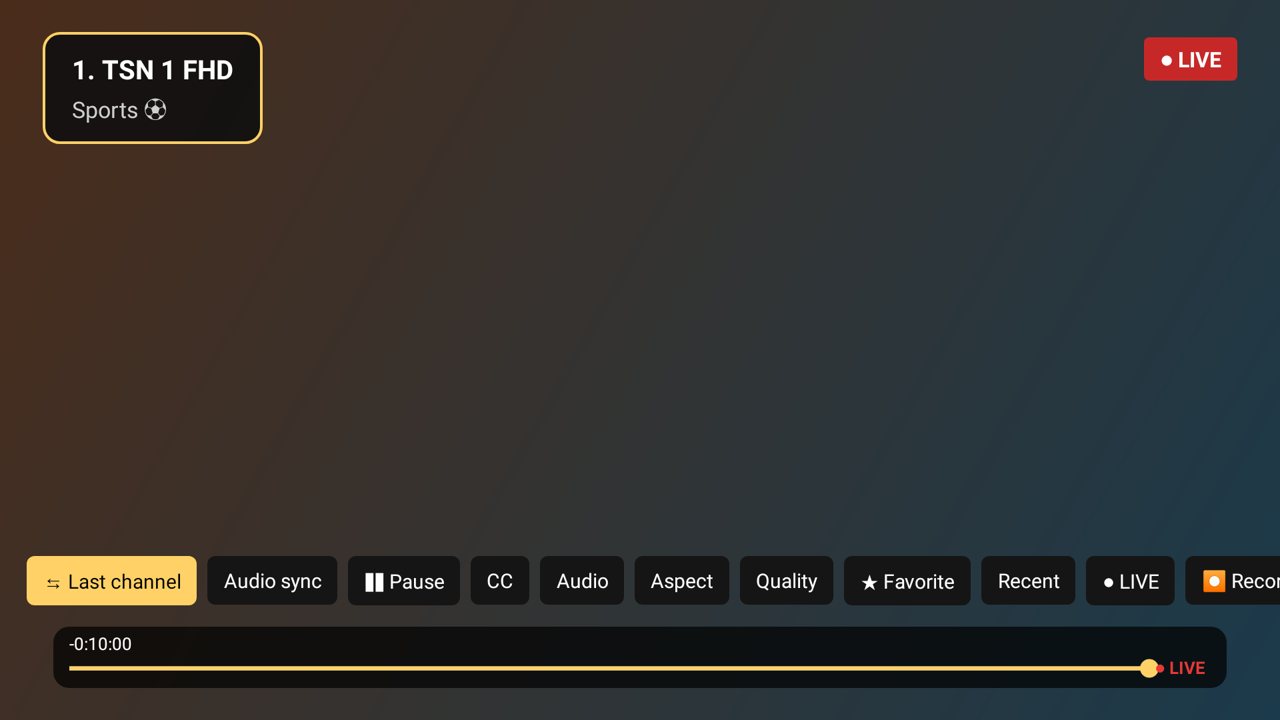
Last channel and Audio sync
Press DOWN while watching. Last channel takes you back to the channel you were on, and Audio sync fixes sound that runs early or late in a couple of clicks.
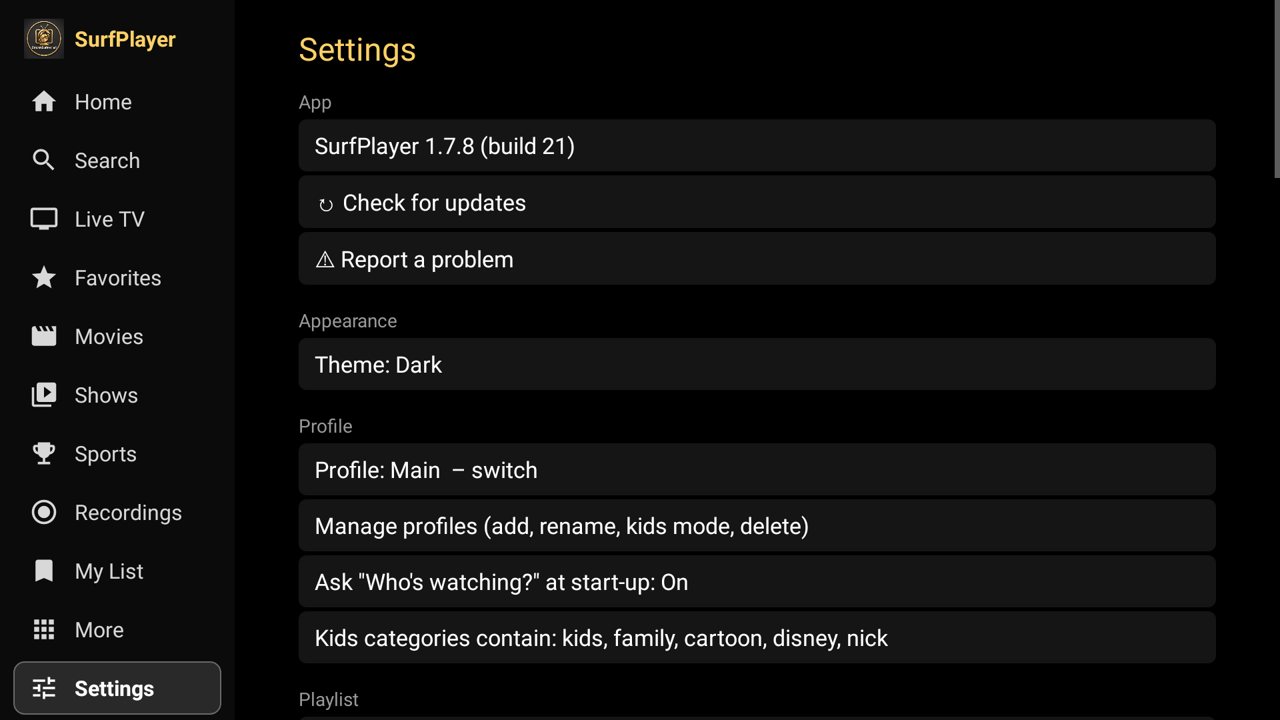
Settings made simple
Profiles for each person, kids mode, a parental PIN, theme, Report a problem and Check for updates, all in one list.
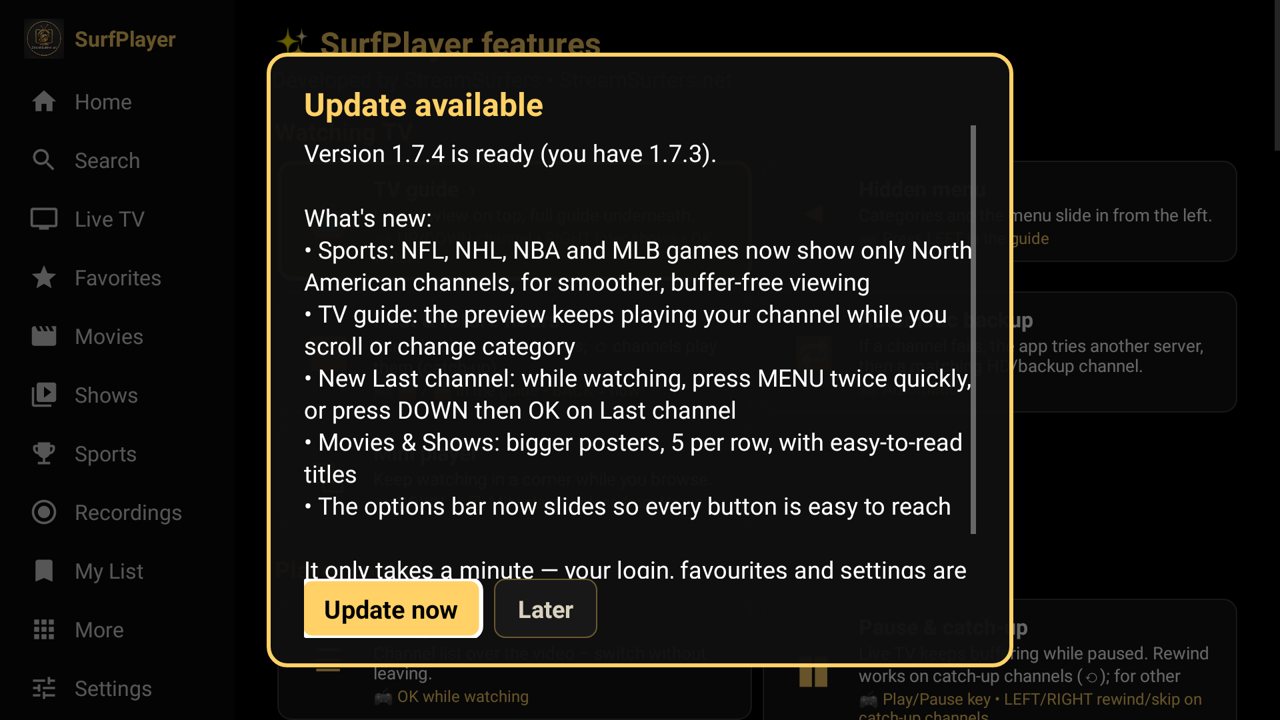
Automatic updates
SurfPlayer tells you when a new version is ready. Press Update now, and your login, favourites and settings stay just as they were.
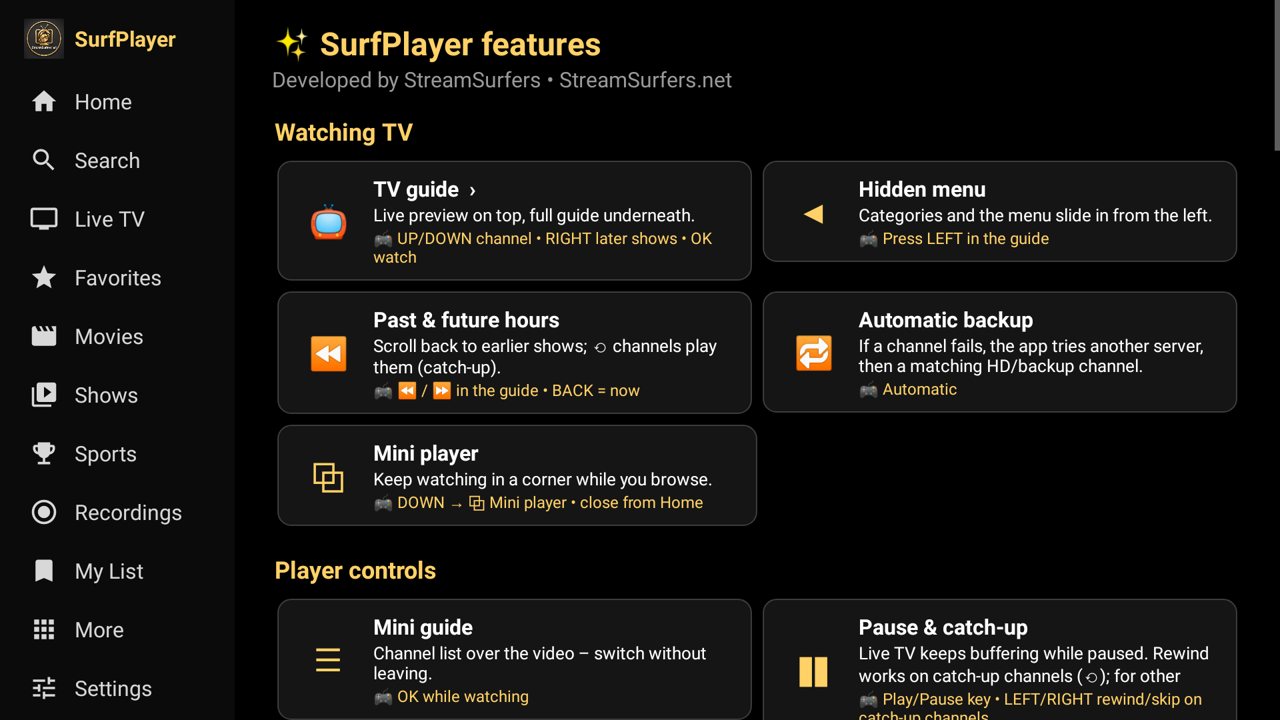
Built-in features guide
Not sure what a button does? The features page in the app shows every feature and the remote button for it.
On your Android phone (SurfPlayer Mobile)
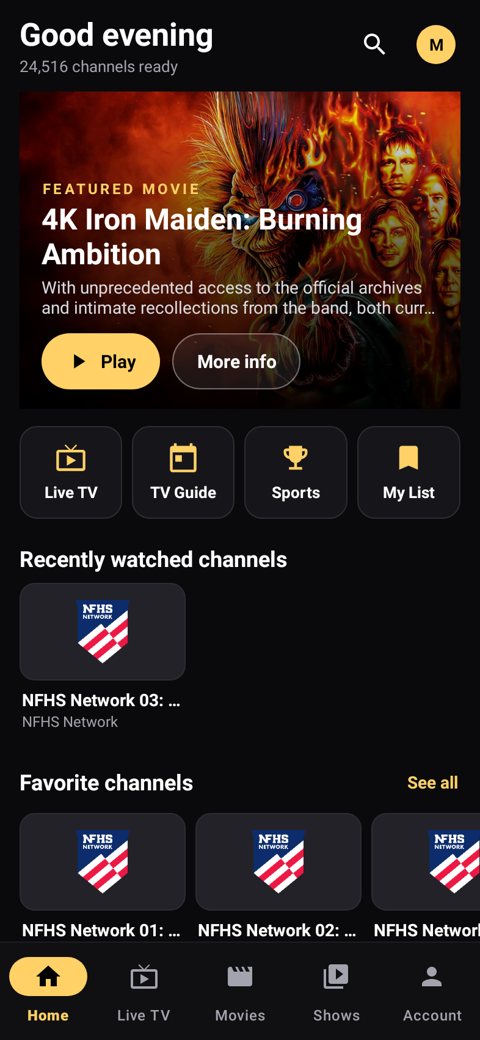
Everything else SurfPlayer does
Recommended devices
Here's what we recommend for watching StreamSurfers with SurfPlayer, especially for live sports.
⭐ Our pick: an Android TV box
We recommend an Android TV box such as the Onn 4K (Amlogic S905X4, 4GB RAM). Plug it into your TV's HDMI port, then install SurfPlayer with our Android TV & Google TV guide.
Android TV & Google TV
TVs and streaming devices that run Android TV or Google TV also work with SurfPlayer.
Amazon Firestick
Good to know: SurfPlayer works on most Firesticks. For the smoothest picture, especially live sports, the Onn 4K from Walmart gives better performance.
Already have one? Our Firestick guide still shows every step.
Get SurfPlayer
It's free with your StreamSurfers line. Install it, then sign in with the username and password we send you.
Android TV boxes, Android TV & Google TV
Plug in your box and connect it to the internet. Install Downloader from the Play Store, then go to streamsurfers.net/app or type the code 5188273.
Firestick & Fire TV
For new setups we now recommend an Android TV box. See why →
Open the Downloader app and go to streamsurfers.net/app, or type the code 5188273.
Android phones & tablets
Phones and tablets use their own app, SurfPlayer Mobile. Get it from streamsurfers.net/mobile in your phone's browser.
Tip: if live sports aren't smooth, restart your device (unplug it for 30 seconds), and check your Wi-Fi or use a network cable. Still having trouble? Contact us and we'll help.
Forgot your username or password? Contact us on our website, or email support@streamsurfers.net.
Renewals: renew your plan at streamsurfers.net/renew-my-plan. Help: use our contact page, or email support@streamsurfers.net.
SurfPlayer isn't available for iPhone, iPad or Apple TV yet. The Fire TV Stick 4K Select can't install outside apps. See our Apple guide and Samsung & LG guide for other options.
On a phone or tablet (Android)
Android phones and tablets use their own app, SurfPlayer Mobile. It's free with your StreamSurfers line and uses the same login.
- On your phone or tablet, open Chrome and go to streamsurfers.net/mobile. The app starts downloading.
- If Chrome says the file might be harmful, tap Download anyway.
- When the download finishes, tap Open. (You can also find it in your Downloads.)
- If your phone asks, tap Settings, turn on Allow from this source, then go back.
- Tap Install, then Open.
- Sign in with your usual StreamSurfers username and password.
Something not right? While watching, tap ⋮ and choose Report a problem. You can also find it under Account.
SurfPlayer isn't available for iPhone or iPad yet.
SurfPlayer FAQ
Is SurfPlayer free?
Yes. SurfPlayer is free with your StreamSurfers subscription or free trial. Just sign in with the username and password we send you.
What devices does SurfPlayer work on?
The TV app works on Android TV boxes, Android TV, Google TV (including Chromecast with Google TV), and Amazon Firestick and Fire TV. Good to know: SurfPlayer works on most Firesticks. For the smoothest picture, especially live sports, the Onn 4K from Walmart gives better performance. See Recommended devices. SurfPlayer Mobile works on Android phones and tablets. It isn't available for iPhone, iPad or Apple TV yet.
How do I install SurfPlayer on my Firestick?
Install the Downloader app, then go to streamsurfers.net/app or type the code 5188273 in Downloader. Choose Install, then Open, and sign in. Our Firestick guide shows every step.
Do I need to enter a server address?
No. SurfPlayer is made for StreamSurfers, so you only enter your username and password.
How does SurfPlayer update?
SurfPlayer tells you when a new version is ready. Press Update now and you keep your login, favourites and settings.
Can I try SurfPlayer before I buy?
Yes. Order the free 48-hour trial on our site, and your login is emailed to you automatically within minutes. Plans are whole months.
The sound is a little early or late. What can I do?
While watching, press DOWN on the remote and choose Audio sync, then pick "sound earlier" or "sound later" until it matches.
Live sports look choppy. What can I do?
Open Settings (at the bottom of the left menu) and scroll to TV & playback. Check that Match screen speed is On. Also make sure SurfPlayer is up to date (Settings → Check for updates). Still choppy? Restart your device (unplug it for 30 seconds), and check your Wi-Fi or use a network cable. An Onn 4K from Walmart gives the best performance (see recommended devices). On an older Firestick, see this page. Still having trouble? Contact us and we'll help.
Try SurfPlayer free for 48 hours
20,000+ live channels and 54,000+ movies & series in our own app. Simple whole-month plans, and the app is free.