Frequently Asked Questions
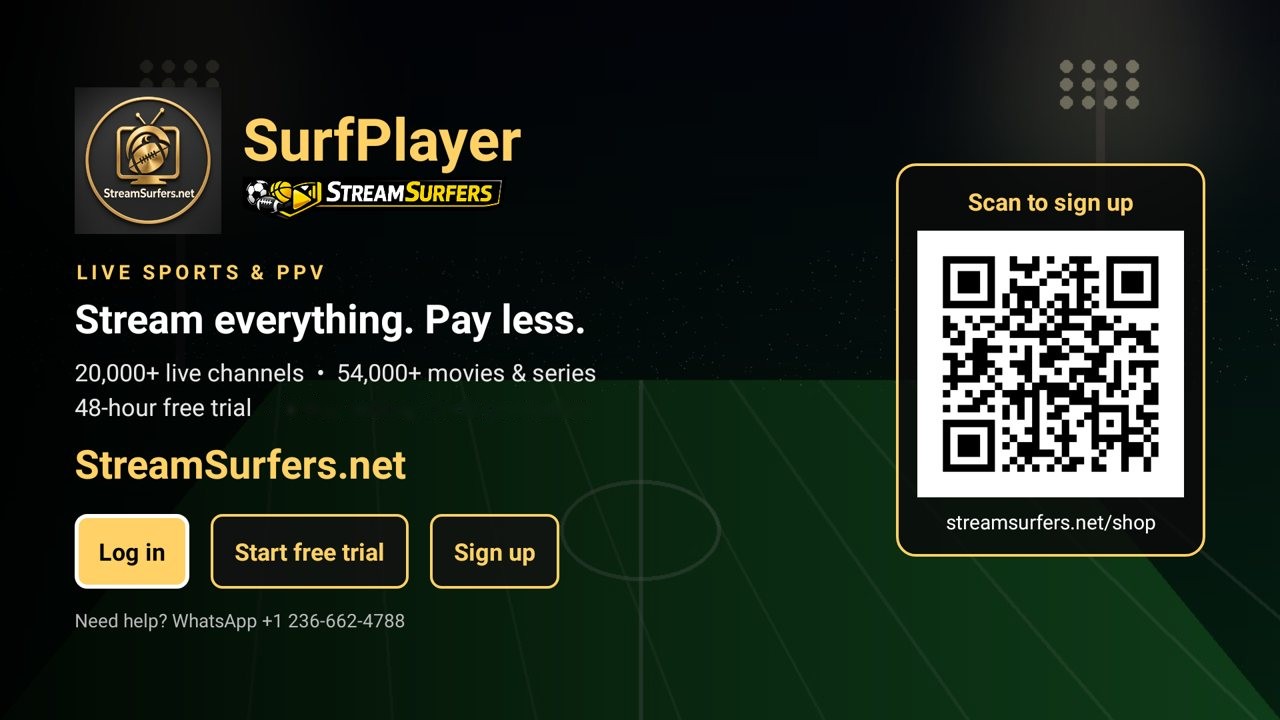
Our own app
Watch with SurfPlayer
Live TV with a TV guide, movies, shows and sports search, made for StreamSurfers. Works on Android TV boxes, Android TV, Google TV, Firestick and Android phones.
Discover SurfPlayer →Good to know
SurfPlayer works on most Firesticks. For the smoothest picture, especially live sports, an Android TV box like the Onn 4K (4GB RAM) gives better performance.
See recommended devices →Our 48-hour IPTV free trial gives you full, unrestricted access to the entire StreamSurfers library. You can test thousands of live HD channels, premium sports, and VOD movies to ensure the service works perfectly on your internet connection before you buy an IPTV subscription.
We are a reliable IPTV provider that prioritizes quality. We strongly recommend the trial so you can verify our anti-freeze technology and channel stability on your specific device. This helps you get smooth streaming from day one.
To keep our servers fast for all users, we limit trials to one per customer.
At StreamSurfers, we prioritize security and flexibility. All payment gateways are integrated into our website checkout. To ensure a secure IPTV payment, we follow a specific process:
Checkout: Select your plan on our site and proceed to checkout.
Email Instructions: Immediately after you click "Place Order," our system sends an automated email to your inbox.
Payment Link: This email contains your specific Interac e-Transfer (EMT) instructions or a unique, secure Credit/Debit Card payment link.
Confirmation: Once you complete the payment via the link or transfer, your service is queued for activation.
We offer the most popular and secure methods to ensure you can join the best IPTV service with ease:
Interac e-Transfer (Canada Only): The most popular choice for our Canadian clients. Fast, secure, and private.
Credit & Debit Cards: Secure processing for all major cards (Visa, MasterCard, AMEX) via an encrypted external link.
Amazon Gift Cards: A perfect "no-bank" option. Send the digital code via the checkout instructions or support chat.
Cryptocurrency: We support Bitcoin (BTC).
Credit Card: Usually instant or within 30 minutes of payment confirmation.
Interac e-Transfer: Activated as soon as our team accepts the transfer (typically 15–60 minutes).
Amazon Gift Card & Crypto: Activated once the code or blockchain transaction is verified.
Note: If you don't see your payment email within 5 minutes, please check your Spam/Junk folder or reach out to our live support teams.
Yes. Unlike many providers, we offer a 5-day money-back guarantee. If you are not happy for any reason within the first 5 days of your paid subscription, contact us for a full refund. You can also try us first with our free 48-hour trial.
StreamSurfers balances affordability with premium quality. We provide 4K IPTV streaming and High-Definition (HD) content across all plans, making us one of the best value-for-money options in 2026.
No. Roku devices use a closed operating system that blocks third-party IPTV players. If you want the best IPTV experience, we recommend the Onn 4K from Walmart. See our recommended devices.
Good to know: SurfPlayer works on most Firesticks. For the smoothest picture, especially live sports, an Android TV box like the Onn 4K (4GB RAM) gives better performance.
If you already have a Firestick, the Fire TV Stick 4K or 4K Max works best. Android-based Smart TVs (Android TV or Google TV) also work. The Fire TV Stick 4K Select is not supported, because it can't install outside apps.
On a Firestick, Android TV box or Google TV, you just need SurfPlayer, our own app. In the free Downloader app, type the code 5188273 (or streamsurfers.net/app) to install it, then sign in with the username and password we sent you.
On other devices, any app that supports Xtream Codes or M3U works, such as IPTV Smarters Pro, OTT Navigator or VLC (PC and Mac).
To enjoy a smooth streaming, we recommend the following speeds:
SD Quality: 10 Mbps
HD Quality: 25 Mbps
4K Ultra HD: 50+ Mbps
We recommend performing a Speed Test via Fast.com. This gives you a real-world estimate of your streaming bandwidth. For the best results, use a hardwired Ethernet connection instead of Wi-Fi.
Yes. Our premium IPTV servers are built to keep streams smooth and reliable, even during major live sports events.
Before contacting us, please check our Step-by-Step Installation Guide. It answers most setup questions and will get you streaming in minutes.
Buying a new device? We now recommend the Onn 4K from Walmart instead. See our recommended devices.
If you still need help, our team is here 7 days a week via:
WhatsApp: 236-991-5203
Telegram: @Streamsurfers
Email: support@streamsurfers.net
Smooth streaming depends on your "Internet Download Speed." We recommend at least 25 Mbps. For the best 2026 streaming experience, use an Ethernet cable instead of Wi-Fi and ensure your "ISP Throttling" isn't active. Using a VPN can often help bypass these speed limits.
Yes, we use high-end servers built for smooth, reliable streams. This makes us a reliable choice for live sports like Football, UFC, and PPV events where stability is crucial.
Absolutely. Our service is 100% "VPN Friendly." We actually recommend using a VPN if you notice your internet provider is slowing down your connection during peak hours.
Good to know: SurfPlayer works on most Firesticks. For the smoothest picture, especially live sports, the Onn 4K from Walmart gives better performance (see recommended devices).
StreamSurfers works on Amazon Fire TV devices (Fire TV Stick 2nd Gen and newer, 4K, 4K Max, Fire TV Cube), Android TV boxes, NVIDIA Shield, Chromecast with Google TV, Android Smart TVs (Sony, Hisense, TCL, Philips), Android phones and tablets, MAG devices, Windows and Mac, and Samsung/LG Smart TVs using compatible apps. The Fire TV Stick 4K Select is not supported. Use the 48-hour free trial to confirm your device works.
20,000+ live channels worldwide, with a big selection of English channels, and 54,000+ VOD titles including movies, series and sports. The channel list and VOD library are updated regularly.
Yes. Adult content is optional and can be selected during checkout.
Yes. You can upgrade to more connections or a longer subscription at any time. Plans are sold in whole months: 1, 3, 6 or 12 months.
Yes, anytime. Just message us on WhatsApp or email support@streamsurfers.net and we'll update your channel lineup.
Restart your app, switch to a different server or category, restart your device, test your internet connection, or try a VPN. If the issue continues, please contact us.
Renew any time on our website at streamsurfers.net/renew-my-plan. Enter your SurfPlayer username, pick a plan and pay.